Faster Review Collection
A review request works best while the customer still remembers the visit. A TapQR review QR turns that moment into a short scan instead of a delayed search.

AI Review QR Generator
Create a QR code that takes customers directly to your Google review experience and makes writing a review easier with AI-assisted review drafts.
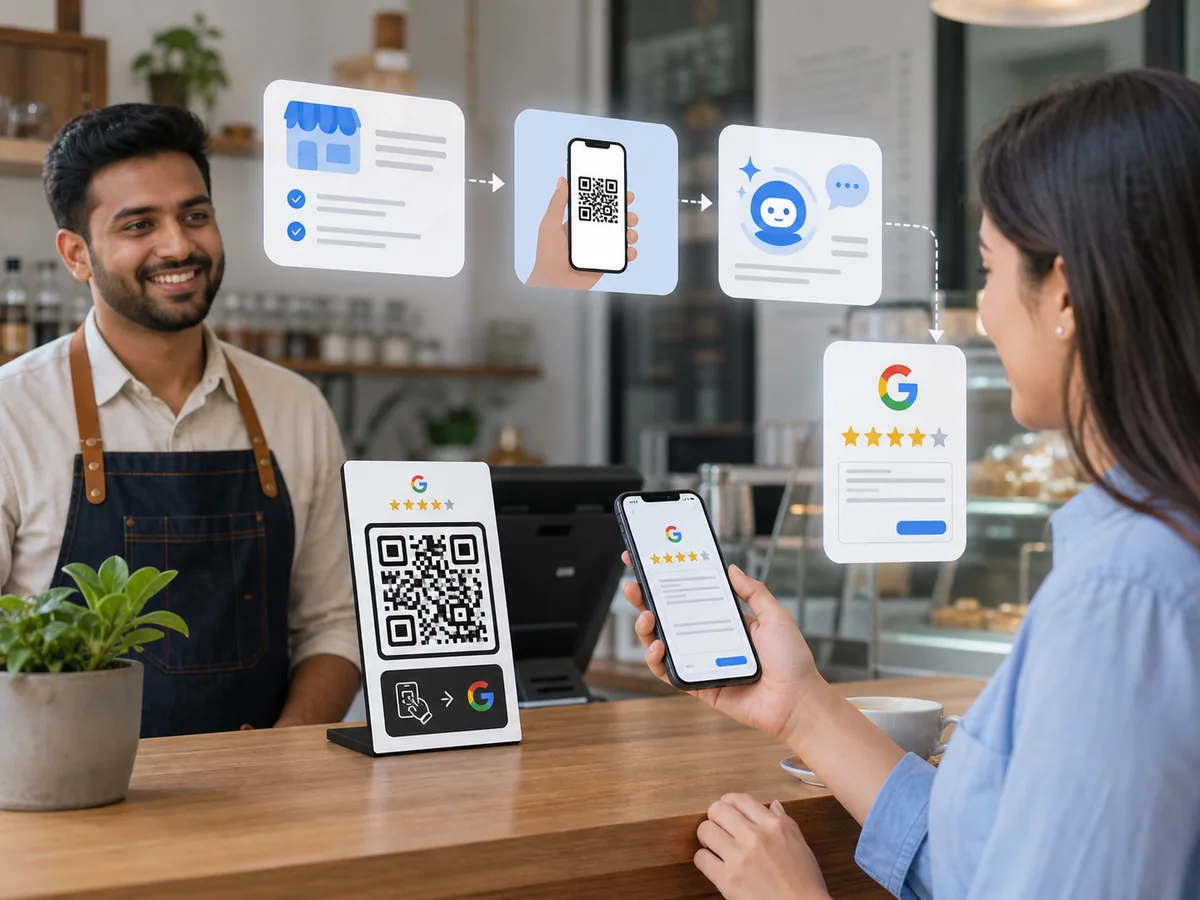
TapQR lets businesses create a QR-based review experience where customers can quickly access the Google review flow and get optional AI assistance drafting their review. The customer stays in control: they can edit, rewrite or ignore the draft before deciding what to post on Google.
TapQR keeps the path simple for your team and your customers, from setup to the final review decision.
Great experience. The team was friendly, helpful and the service was quick. Highly recommended.
Customer can edit before posting.
Many happy customers are willing to leave a review, but they do not always know what to write. TapQR can turn simple customer-selected details into a clear draft that reflects their real experience.
The AI feature is writing assistance, not fake review generation. TapQR should never be used to invent experiences, submit reviews automatically or remove the customer's choice. The customer reviews the draft, edits it if needed and decides whether to post it on Google.
A review request works best while the customer still remembers the visit. A TapQR review QR turns that moment into a short scan instead of a delayed search.
Customers can use their phone camera to open the review experience from a counter card, poster, receipt, package insert or NFC review card.
AI can help customers express real details more clearly, especially when they know the service was good but do not want to write from scratch.
The customer does not need to download anything. The review QR opens in a mobile browser and can continue toward the Google review destination.
The experience is designed around phones because most customers scan review QR codes while standing at a desk, table or checkout counter.
TapQR reduces the awkward parts of review collection: finding the listing, thinking of wording and remembering the request after leaving.
Different businesses need different touchpoints. Link the QR to a real Google Business Profile review destination and place it where the request feels natural.
Both approaches can be useful. The right choice depends on whether you only need a scan path or also want to help customers write their own review.
A strong review QR code starts with the right destination. For most businesses, that destination is the Google Business Profile review link. This is the link that sends customers toward your Google review flow without asking them to search for your listing manually. If you use the wrong link, customers may land on Maps, your profile page or a browser screen that still requires extra taps.
Start from your Google Business Profile and copy the review request link. If you are not sure where it is, use TapQR's business setup flow to search for your business and connect the review destination more carefully. A clean Google review QR code should lead customers to the exact place where they can review the business, not to a generic homepage or social profile.
A regular QR code for Google reviews is useful when your customers are comfortable writing their own review from scratch. An AI review QR is better when customers often say, "I do not know what to write." With AI assistance, customers can choose details such as service quality, friendliness, speed or ambience, then receive a draft they can edit. The review should still be honest, voluntary and fully controlled by the customer.
After adding the review link in TapQR, generate your review QR code and scan it from more than one phone. Check that the page opens quickly, the review path is understandable and the AI assistance, if enabled, does not make any promise that reviews are automatic. The best Google review QR code for customers is the one that feels obvious in the first few seconds.
A QR code alone can be vague. Add a short message such as "Scan to share your experience on Google" or "Your feedback helps other customers find us." This keeps the request transparent and avoids making the customer feel tricked into scanning. If you use a Google review card or stand, keep the design simple and leave enough quiet space around the QR pattern so phone cameras can read it easily.
Put the QR near the moment when value has already been delivered: after a meal, after checkout, after an appointment, after a repair, at reception or inside a follow-up message. Staff can mention it briefly, but they should avoid asking for only positive reviews. The healthiest process invites genuine feedback and makes the review journey easier for people who want to share it.
Review links, print materials and staff habits need periodic checks. Scan your QR code monthly, confirm the destination still works and update old posters if your business location, review link or TapQR setup changes. When the QR is current and the request is respectful, TapQR can become a practical bridge between real customer experiences and useful Google reviews.
Use the QR code wherever a customer can scan without slowing down the service experience.
Table tents can invite guests to review after the meal while the service, food and ambience are still fresh.
A printed or digital receipt keeps the review link available after payment without requiring staff to explain the process again.
Reception is ideal for clinics, salons, hotels, gyms and service businesses because customers naturally pause there.
Packaging inserts work well for takeaway orders, retail purchases and local deliveries where the customer reviews later.
Place the QR where the customer sees the finished result and has a clear moment to respond.
A room card can invite guests to share their stay experience without waiting for checkout.
Service providers can add a small QR prompt to cards given after consultations, site visits or completed work.
Flyers can support events, local promotions and post-purchase reminders when paired with a clear review request.
Entrance or exit signage can remind repeat customers to share feedback, but it should not block movement.
NFC cards can sit beside the QR code so customers can tap or scan, depending on what feels easier on their phone.
Clear answers for business owners who want review collection to be easier without losing customer control.
It is a QR-based review experience that sends customers toward a Google review flow and can offer AI writing help based on details the customer chooses to provide.
Add your Google Business Profile review link to TapQR, choose the review QR setup you need, generate the QR code and place it where customers can scan it.
TapQR offers a free trial for businesses that want to test the review QR experience before choosing a paid plan.
Yes. Customers stay in control. They can edit, rewrite or ignore the AI-assisted draft before deciding whether to submit anything on Google.
A direct review QR can open the Google review destination. An AI review QR may first show the customer writing assistance, then let them continue to Google.
Yes. Restaurants can place QR prompts on table tents, bills, takeaway packaging, counters and reception areas where diners can scan easily.
Yes. TapQR QR codes can be used on printed cards, posters, counter stands, flyers, receipts and other customer-facing materials.
The QR destination should keep working while your TapQR plan and review destination are active. If a plan expires, update or renew it before printing widely.
Yes. TapQR is built around Google Business Profile review links, Google review QR codes and customer-friendly review touchpoints.
Use AI only as optional writing assistance for a real customer experience. Do not generate fake reviews, do not post automatically and do not pressure customers.
Make it easier for happy customers to reach your Google review page and share their experience.